Thursday, August 23, 2012

Odoo OpenERP POS 6.1 Point of Sale Bar code Reader Support - Searching Products by reference and EAN13 ( BAR Code) :


Now a days most of the shopping centers and malls are making use of automated systems and touch-screen POS at the cashier point to eliminate the human error while billing and making the paymant. OpenERP POS is goof but it lacks searching the product by Bar code. It can search product by name and is the only option besides selecting the product by clicking mouse or with touch-screen. With thousands of products in view a cashier might take a long time to enter the product in POS. So to add product to order line searching products by Reference and EAN13 (Bar Code reader) in the touch-screen POS is essential for the POS to be usable.

We have modified the OpenERp POS to support Barcode and by reference 
See the following image gallery demonstrating search of product  in POS via reference and EAN13 :

1.  Search the product by Reference, e.g. food item Pav Bhaji has reference as PB.  The image shows the product being highlighted on entering into the search field.


2. On hitting enter the product gets added to order line as shown in the image below.
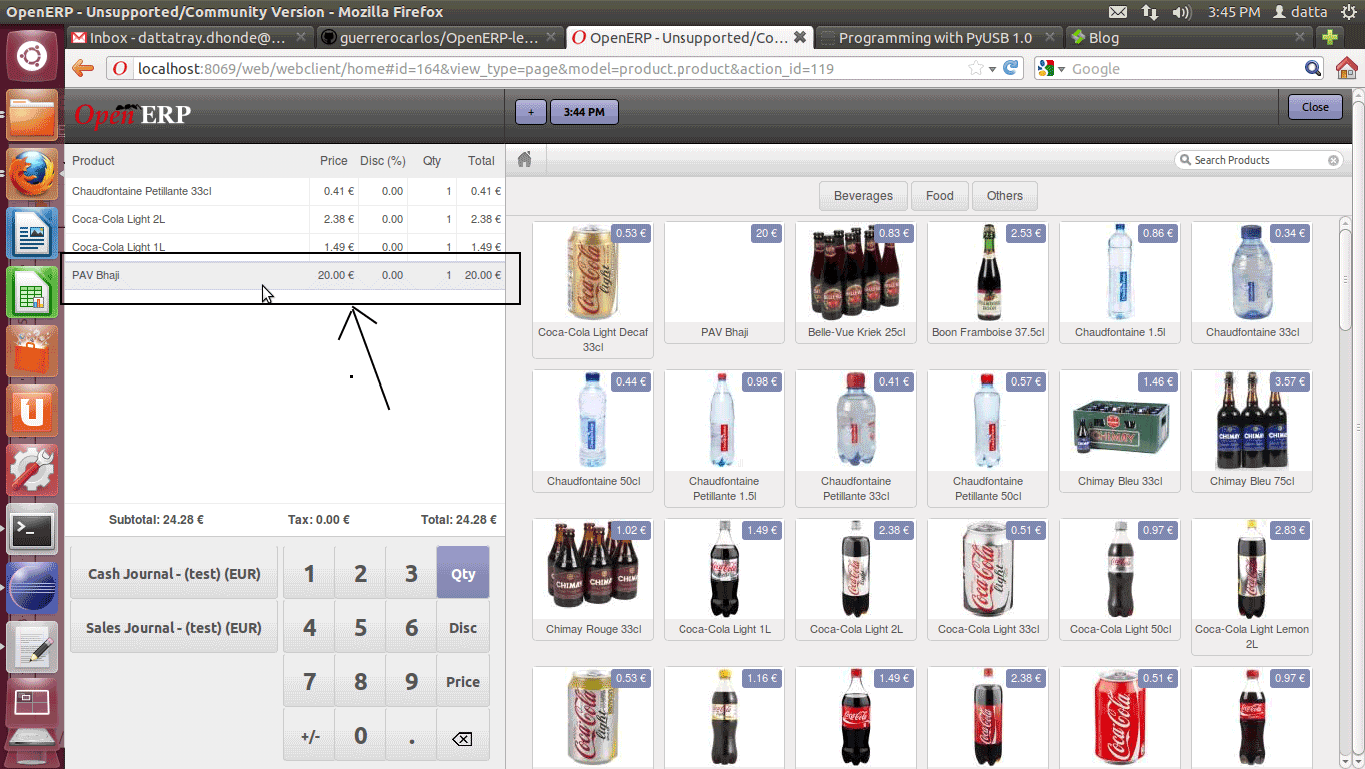

3. The following two images show searching of  product by EAN13  Bar code and an update in product summary details.
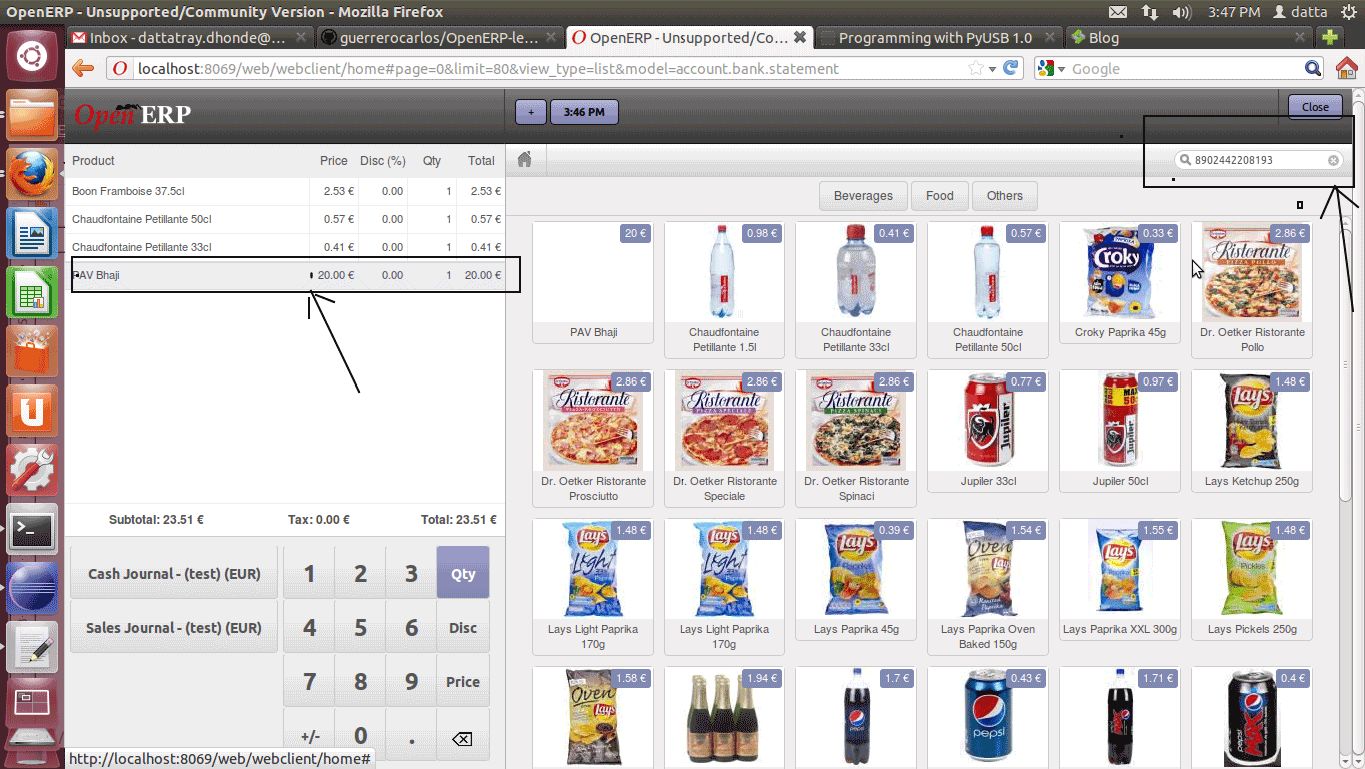

Updation in order line :


OpenERP SaaS kit

OpenERP SaaS kit

OpenERP is a very useful set of business applications being used by companies big and small across the globe. It has a very good multi-tenancy support and can be easily offered on a Saas model. Software as a Service model has gained immense popularity in today’s time and is complemented very well with cloud platforms. This model provides the end customers to get hassle free OpenERP implementation without worrying about software installation and hardware. They can also scale the system depending on increase in number of users.  

Pragmatic has developed a very useful set of tools for people offering OpenERP Services to clients interested in a SaaS based offering. We have a collection of tools using which one can start offering OpenERP to current and future clients. Also we have created a self service interface using which customers can sign up for subscription on their own. They can also make payments using a number of Payment gateways thus eliminating any manual intervention. They can also evaluate the OpenERP software on a 30 days trial. The SaaS kit provides a easy demo site for customers to explore OpenERP further.

SaaS kit has a way to collect important user information such as their email address which can then be stored in the OpenERP CRM. This information can then be used to run marketing campaigns. 

Key Features
  • Works with OpenERP 6.1
  • Sub-domain support with individual customers getting their own sub-domains or domains
  • Sub-domains URLS with only 1 Database listing thus isolating users from seeing other databases  
  • Removal of Database creation URL so that no one can create a new database. A separate URL is provided for the administrator to create databases.
  • Supported gateways: PayPal
  • Support for a Demo site with a direct lead creation in OpenERP CRM
  • Automated trial versions which expire in 30 days.
  • Self-serve account creation.
  • Ability for users to reset their own passwords (Forgot your password?
  • Support for SSL with a digital certificate.

Monday, July 23, 2012

New Features Developed in the OpenERP POS (Point of Sale) -Tagging of Customer in POS


  • Tag POS sales to a customer
  • When customer is buying stuff you can save which customer is buying what item
  • On the Validate page – you can type customer phone number and when validated the order is tagged to customer.
  • Search is available from where you can search existing customer by phone number/name and if he is unavailable then you can create a record for the new customer from POS itself
  • Analysis is much easier and can see pattern in buying by customer.
Create New by clicking on the new as highlighted:


Search by Mobile Number –Name will be displayed .Select the customer and proceed.

New Features Developed in the OpenERP POS (Point of Sale) -Gift Coupon Bar code Generation & Printing from POS

  • Gift coupon Printing with amount & bar code along with normal receipt
  • Maintain gift coupon serial number(EAN13) and generate unique barcode for each coupon

New Features Developed in the OpenERP POS (Point of Sale) - Password required for the POS Validation part


Provision made in POS where manager can login once and later the sales rep can login by just entering password. No need to enter user name each time. The system will map the password and allow the valid user to create the new Order with his name.

Once POS order is complete he has to re-enter the password for new Order.
POS order will be generated with name of the salesperson that has entered the password so any change in salesperson looking after the counter he needs to renter his password to make a new order. So the new order will be processed in the name of the new salesperson that entered the password.
  • Ease in analysis of sales made per month by each sales person.
  • Draw Reports for specific time period per salesperson.
Password Validation Screen

 
Reports Screenshot:

Wednesday, July 18, 2012

New Features Added to Fleet Management in OpenERP- Route Optimization and Maps


1.  Route Management System is continuation of Fleet Management System.
2.   Route Management System can generate best Driving paths between two or more than      
two  Addresses.
3.   Addresses selection can be made between Partners i.e. Customer or Supplier, warehouses, Current location of any Vehicle or it may be GPS location of any Employee.


4.  We can select all the possible partner addresses which come in between the selected route within a given(supplied by user) radius of kilometers.


5.   We can see Graphical maps of the Routes Generated.


6.    This module generates most Optimized Paths.
7.    It gives us the total driving distance in Kilometers.


between a route will be saved in the Partner Invoice.

Thursday, July 12, 2012

Pulling Data from multiple Magento Stores in to OpenERP


Magento OpenERP connector is a very useful tool to integrate Magento stores with OpenERP. It allows exports and imports of product catalog and orders. This allows users to pull data from Multiple Magento sites in to OpenERP. One can differentiate between the products and orders coming from Multiple Magento stores. This is really useful for clients who are running multiple stores and can manage all of them via single OpenERP instance. The following shows how to configure this.
  
1.Here we have created 3 Stores and 3 Websites.

  1. Main Store – Main Website
  2. Pune Store – Pune Website
  3. Mumbai Store – Mumbai Website


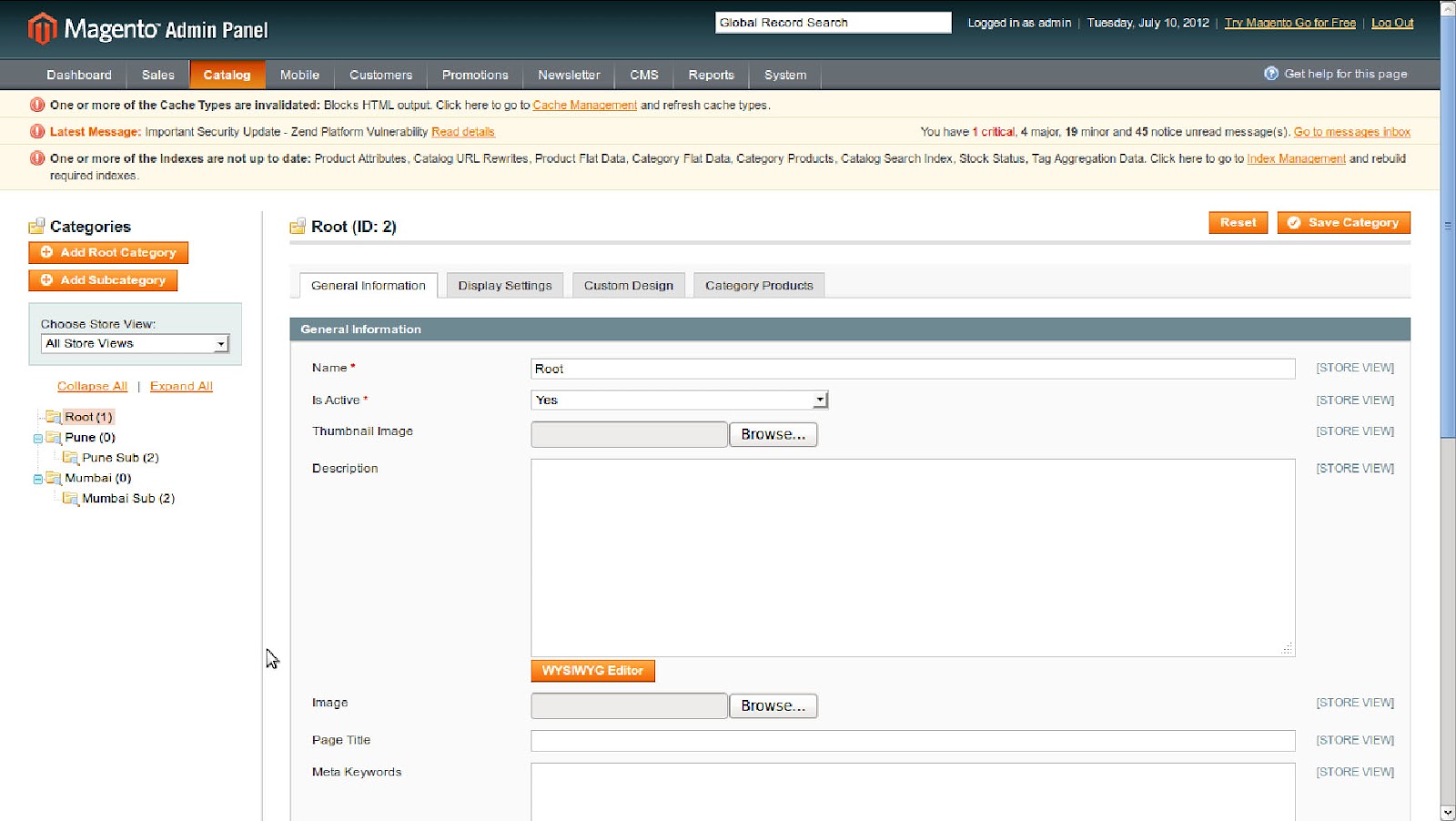
2. Here are 3 different Categories for different Stores.
  1. Root
  2. Pune
    -Pune Sub
  3. Mumbai
    - Mumbai Sub

3.   Here We created different Products for different Stores and Websites. (You can see the Website Column in Screenshot)


4.   After Importing Data from magento to openerp you will find websites.


5.   Products after Import.


6.   Products view in Perticular Store and Website.